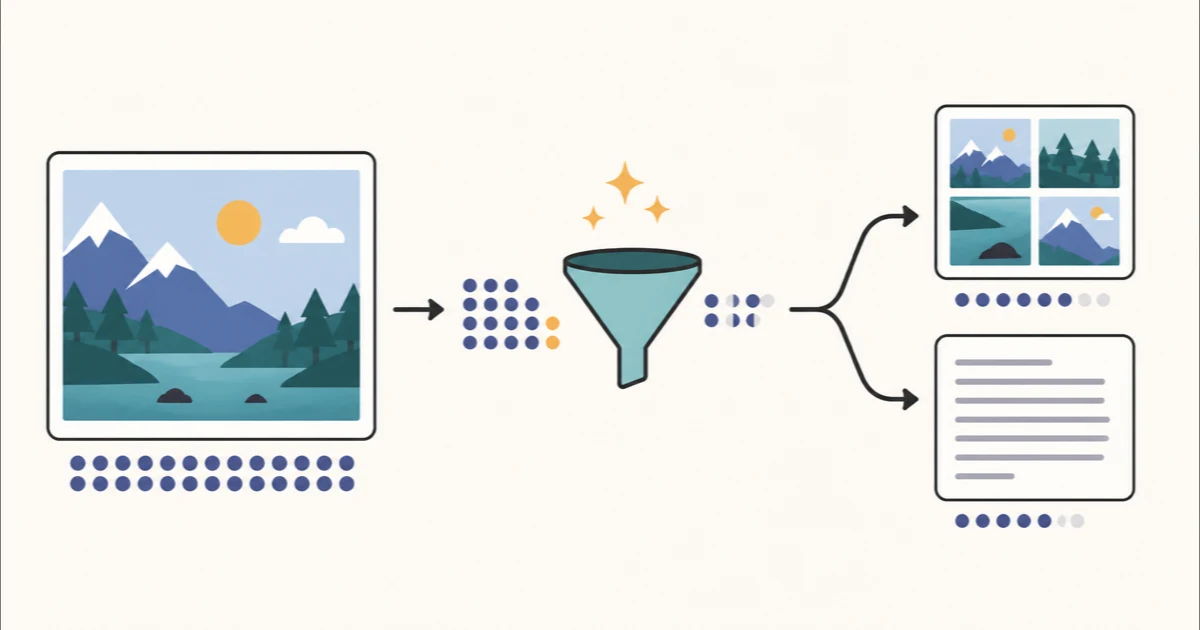
What is image-to-LLM optimization?
Image-to-LLM optimization means preparing a picture so an AI model receives only the visual information needed for your question. It is different from ordinary image compression. A smaller file may upload faster, but it can still contain the same number of pixels and the same irrelevant background.
A useful optimization keeps the evidence and removes the waste. For a product photo, that may mean a smaller copy. For a screenshot, it may mean cropping to one error message. For a receipt or scanned letter, it may mean extracting the words and sending clean text instead of the whole image.
Choose resize, crop, or OCR
How to optimize an image in three steps
Add the image. Open the Image to LLM Optimizer and choose a screenshot, photo, scan, or diagram. Processing stays in your browser.
Match the method to the question. Resize when the whole image matters, crop when only one area matters, or extract text when the model only needs the written content.
Review before sharing. Check that fine print, labels, numbers, and visual context are still present. Copy the OCR text or download the optimized image, then add a specific question for the model.
Which output should you send?
| Your task | Best starting point | Keep the original when… |
|---|---|---|
| Identify an object or scene | Resize the full image. | Tiny details or distant objects could change the answer. |
| Explain one part of a screenshot | Crop to the relevant panel. | The surrounding interface provides necessary context. |
| Summarize a receipt or letter | Extract text with OCR. | Stamps, handwriting, placement, or formatting are evidence. |
| Interpret a chart or diagram | Crop distractions, but keep the visual. | Axes, legends, colors, and spatial relationships matter. |
What optimization should not remove
- Evidence: keep the labels, objects, or text needed to support the answer.
- Context: do not crop so tightly that the model can no longer tell where a detail came from.
- Readable text: resizing too far can make small type impossible to inspect.
- Visual relationships: OCR cannot preserve chart shapes, page layout, arrows, colors, or relative position.
If you are unsure, keep the original nearby and compare the model's answer against it. Optimization is useful for reducing noise, but it should never make the source harder to verify.
A simple prompt to use with the result
Analyze only the attached image or extracted text. Answer my question directly, list the evidence you used, and say “not visible” when a required detail is missing. Question: [write your question here]
This prompt asks the model to separate visible evidence from guesses. For text-only input, add line breaks and headings before the extracted content so it is easier to review and cite.
Image optimization vs. PDF optimization
Use this workflow for screenshots, photos, scans, charts, and diagrams. For a multi-page document with a usable text layer, the PDF to LLM Optimizer can remove repeated page text, keep relevant pages, and produce structured Markdown. If your only goal is a smaller file for upload or storage, use the Image Compressor instead.
Frequently Asked Questions
What does it mean to optimize an image for an LLM?
It means reducing unnecessary visual input before asking a model to analyze the image. Depending on the task, that can mean resizing the image, cropping to the relevant area, or extracting visible text with OCR.
Should I resize an image or extract its text?
Resize when the model still needs to see objects, layout, color, or visual relationships. Extract text when the words are the evidence and the exact visual appearance does not matter.
Does compressing a JPG reduce LLM vision tokens?
Reducing file quality can make uploads smaller, but vision-token use is generally driven more by image dimensions and the model's image-processing rules. Resize or crop when your goal is to reduce visual input.
Can OCR miss text?
Yes. Small type, handwriting, blur, low contrast, unusual layouts, and mixed languages can cause mistakes. Check names, dates, amounts, punctuation, and negative signs against the original image.
Are images uploaded to Toolsda?
No. The Image to LLM Optimizer processes the image in your browser. If you later share an image or extracted text with another service, that content is then subject to that provider's privacy and retention policies.